Logistics

Shri Karni Logistics

We built a complete logistics management system for Shri Karni Logistics. A web portal for branches and managers, and an internal app for the people who scan boxes and deliver parcels, work from the same system.

What we built

What we built for Shri Karni Logistics

  1. Logistics management system

    One system that follows a parcel from booking to delivery: bookings, dispatch, receiving at the destination branch, delivery and hand-over to partner couriers.

  2. Internal operations app

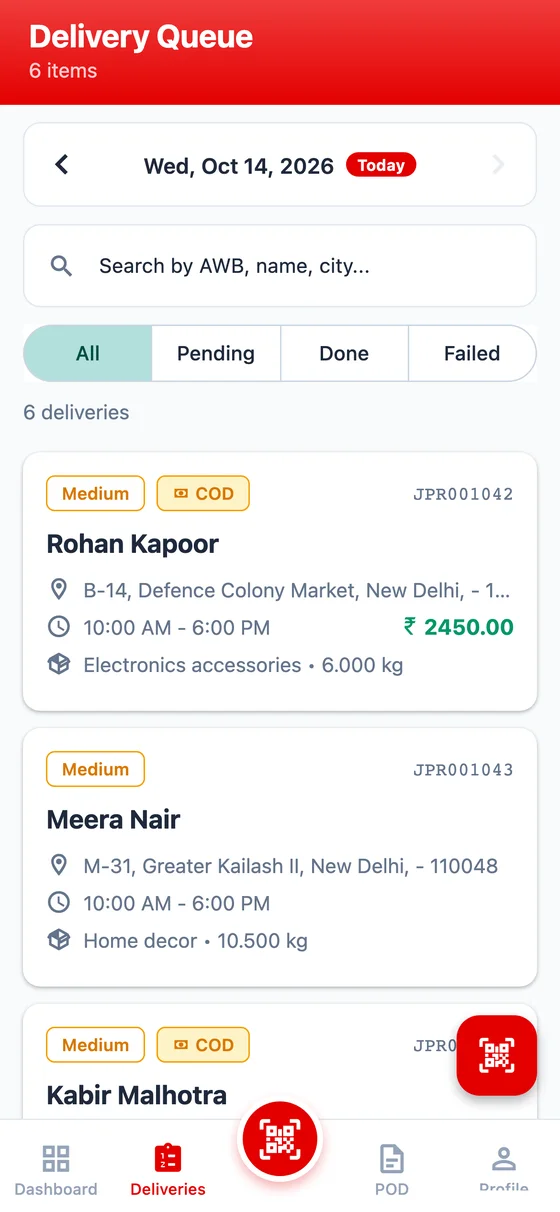
    An app for operations: scan boxes at the hub, work through the day's delivery list and collect proof of delivery.

  3. Web portal

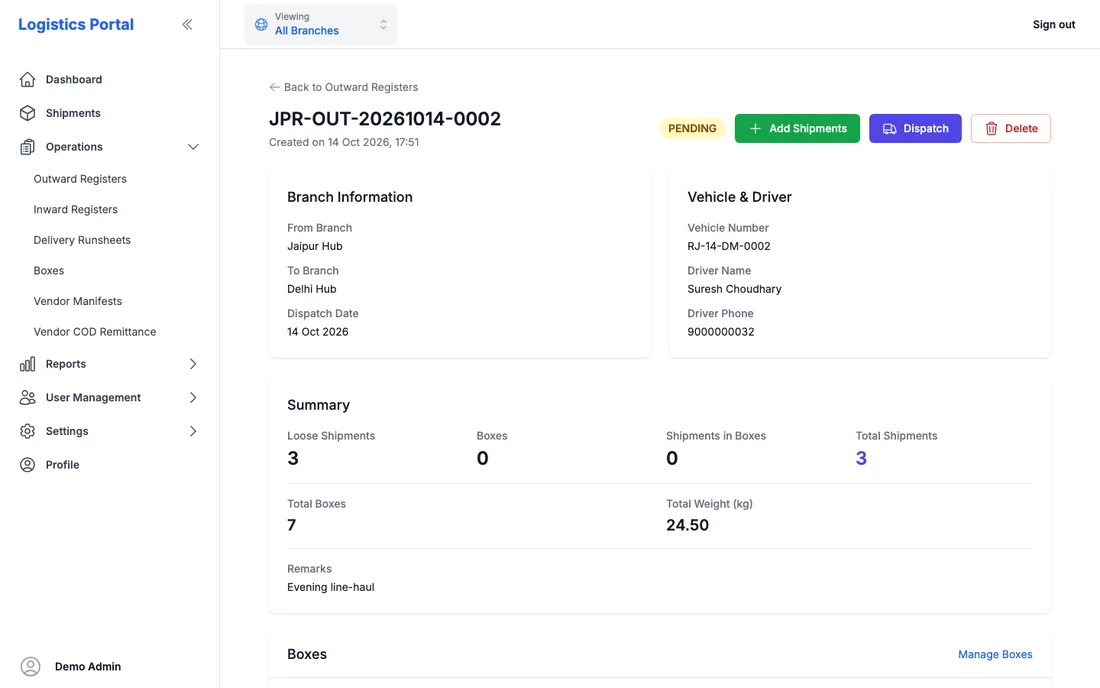
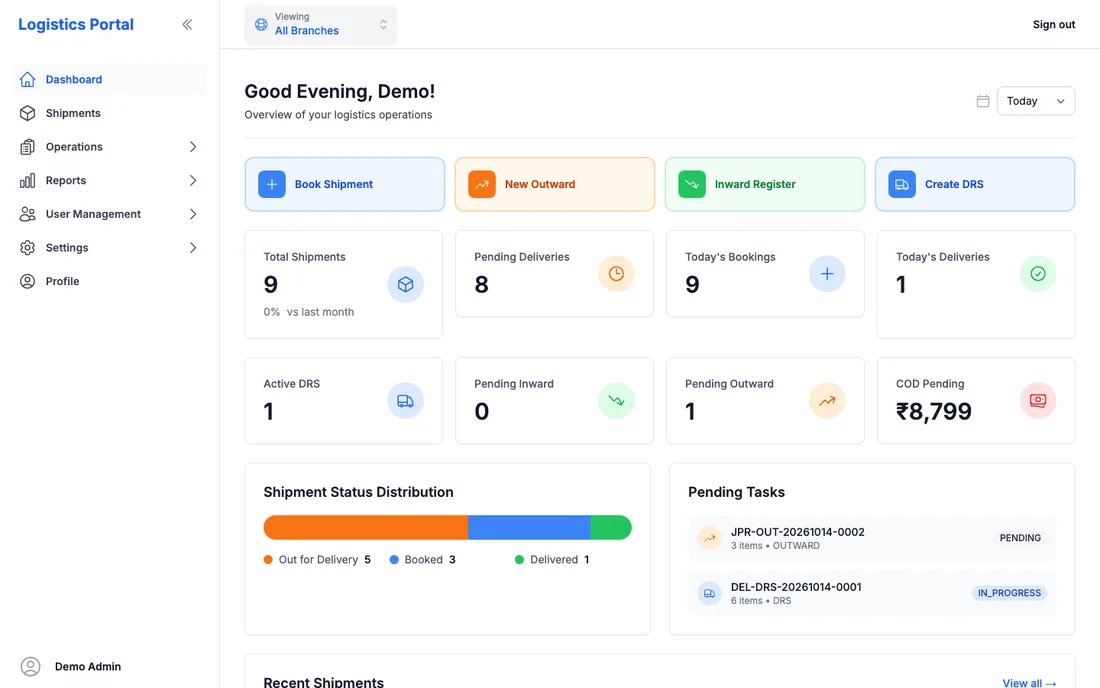
    A web portal for branch staff and managers: bookings, bulk booking from a client's Excel sheet, dispatch registers, reports and a dashboard.

  4. Company website

    We also delivered their website. A new version is on the way, and we will show it here once it is live.

How it works

From the booking counter to the doorstep

Web portal

Branch staff

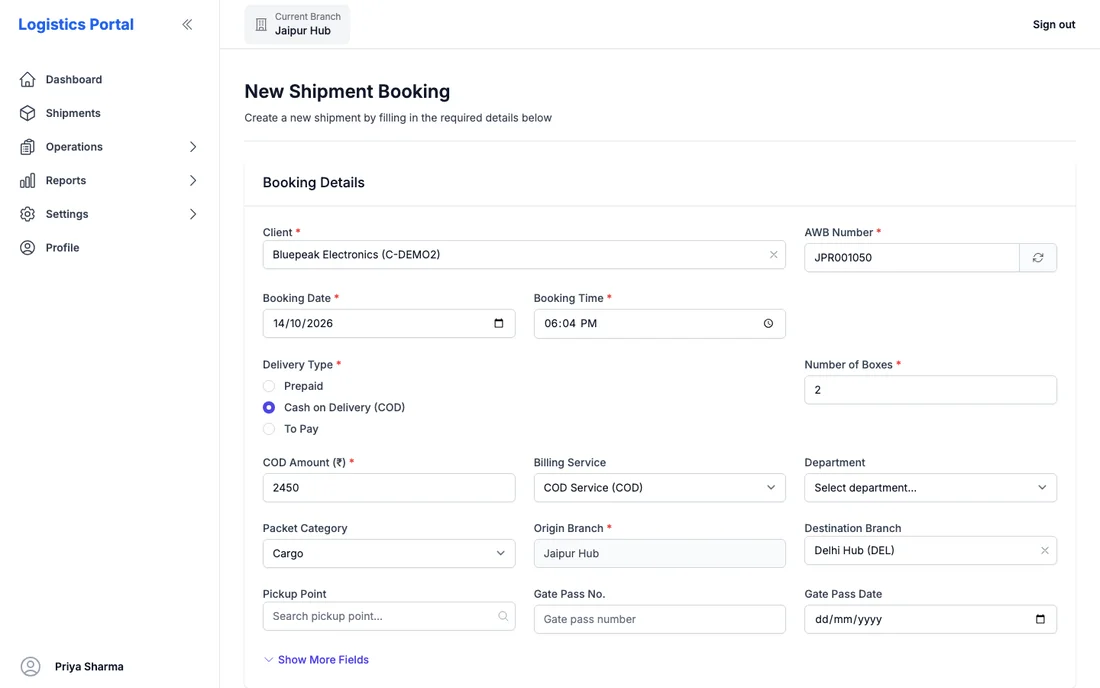
Branches book, dispatch and receive parcels on one portal, and each move is written to the parcel's history.

  1. Book a parcel

    Pick the client, enter sender, receiver and boxes, and the system issues the docket number. Big clients can send an Excel sheet and book in bulk.

  2. Print labels

    The consignment label and the box stickers come straight from the parcel page.

  3. Dispatch

    Parcels go on an outward register for a truck to the destination branch, with a printable manifest for each bag. On dispatch the parcels move to In Transit and customers are messaged.

  4. Receive

    The destination branch opens an inward register, scans boxes or checks parcels, and flags missing or short boxes. Admins get an email about gaps.

  5. Hand over to a partner

    Where the company does not deliver itself, a vendor manifest hands parcels to a partner courier, and COD paid back by the partner is recorded.

  6. Reports

    Register-style reports and a dashboard for managers.
Internal app

Delivery team

The rider's day, from the first stop to proof of delivery.

  1. Today's runsheet

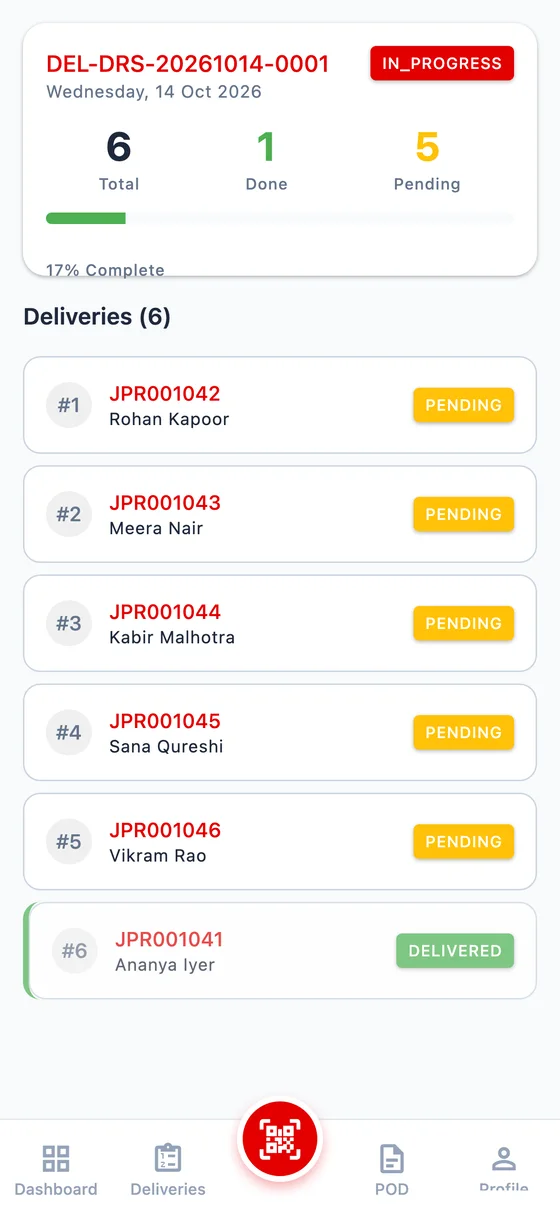
    Branch staff make a delivery runsheet for the day, assign a rider and set the order of stops.

  2. Out for delivery

    When the rider starts, every parcel on the runsheet moves to Out for Delivery and receivers get a message.

  3. The list in the app

    For each stop: receiver's name, phone, address, number of boxes and the COD amount. One tap to call the customer.

  4. Proof of delivery

    The rider records the receiver's name, a signature, a photo, the location and the COD collected. Sender and receiver are notified.

  5. The day closes

    The runsheet closes by itself once every parcel on it is delivered.

Screens

How it looks

Related service: Web platforms & SaaS.

Have something like this in mind?

Tell us what you are trying to build and we will reply with how we would approach it.